Create your first campaign in Leewou
Create your first campaign in Leewou, add tracked creators, and start monitoring content with the right setup from day one.
If you already have creators in mind, campaign monitoring is where the work gets organized fast. Instead of checking profiles one by one, you define campaign rules once, add creators, and let Leewou collect the content that matters.
Start from Monitoring, not from a spreadsheet
Open Monitoring from the left sidebar. On paid plans, you land on the campaign list at /monitoring with Active, Drafts, and Finished tabs plus a Create campaign button.
Note: Trial plans do not include Campaign Monitoring. Trial users see an under-construction state in Monitoring with an Upgrade your plan button linking to /billing/upgrade and a link to the public feature page.
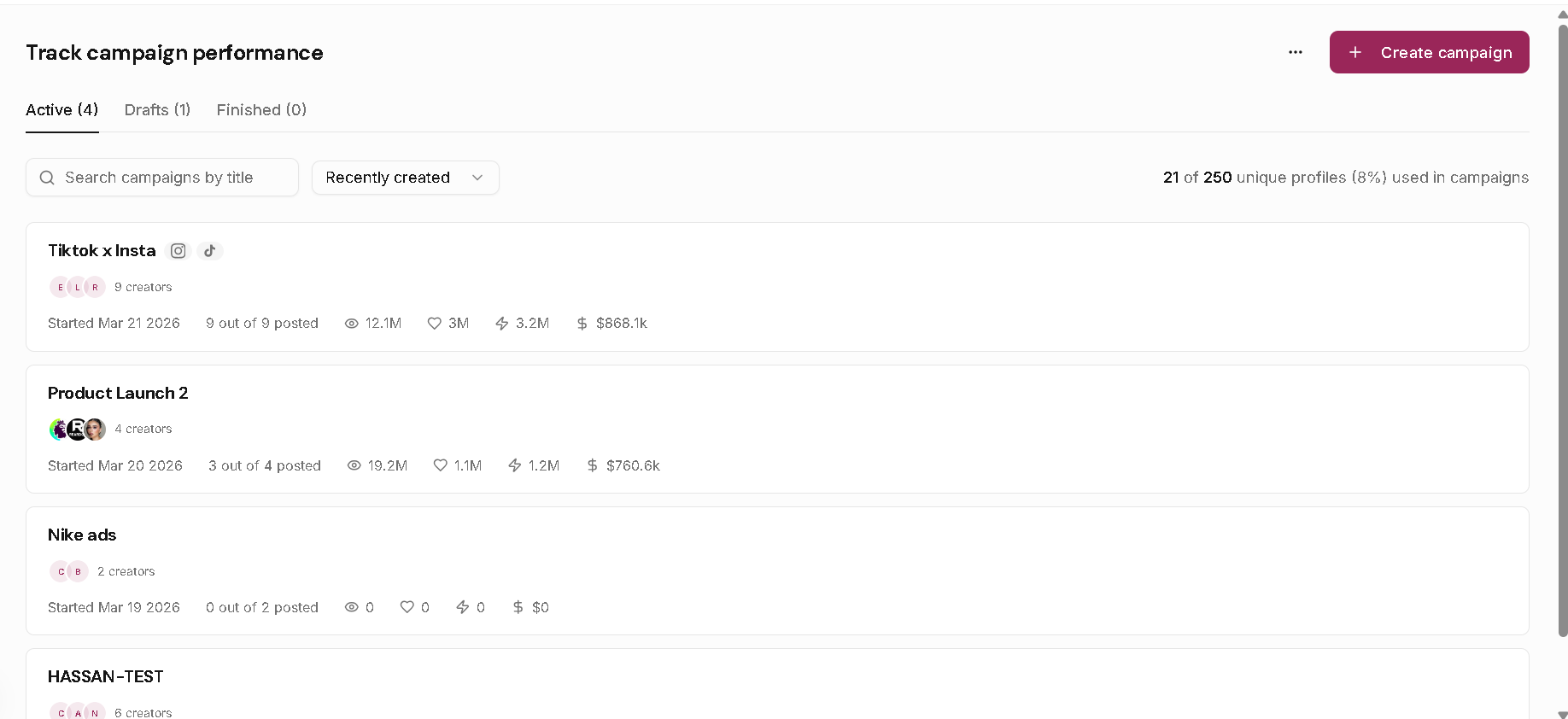
Set campaign rules before adding creators
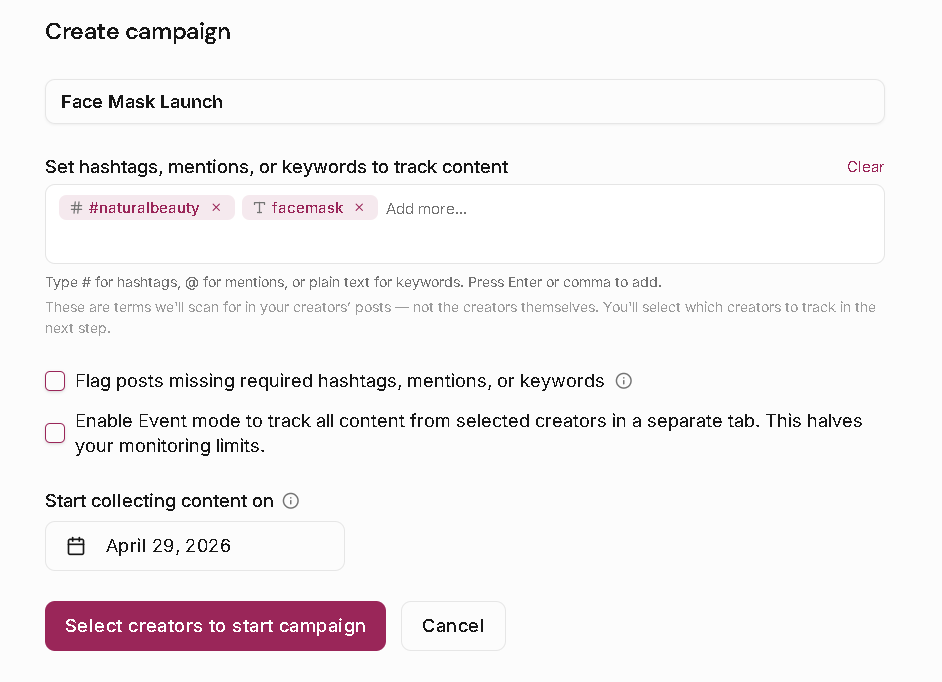
Click Create campaign and complete the setup form first. This is where you define campaign name, tracked hashtags, mentions, and keywords, plus tracking mode and start date.
- Add a clear campaign name.
- Add tracked hashtags, mentions, and keywords.
- Decide whether to flag posts missing required terms.
- Choose Standard mode or Event mode.
- Set Start collecting content on.
Leewou treats hashtags and mentions as exact matches (case-insensitive). Keywords match as caption substrings. A post is considered matched when any tracked term is found.
Pro tip: Keep keywords tight. Broad words can pull in unrelated content quickly.
Pick the right tracking mode
Standard mode is the default for most campaigns. Event mode broadens collection to all content from selected creators and highlights matched terms separately.
Event mode has a cost tradeoff: each creator uses 2 tracking credits instead of 1. Use it when you intentionally want wider campaign coverage.
Set the start date carefully
Start collecting content on controls what can be collected. Content before that date is excluded, and during creation you can only set the date up to 7 days in the past.
After a campaign is created, the start date is fixed in edit mode and shown as cannot be changed. Check it twice before you continue.
Add creators and launch
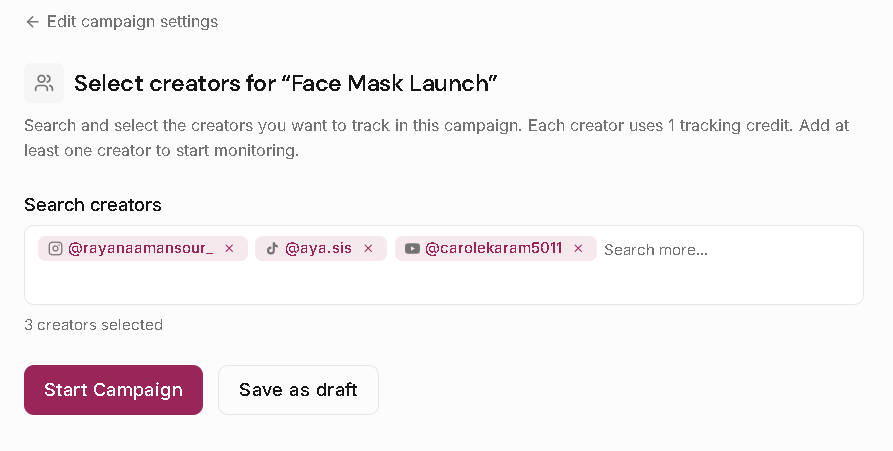
After setup, Leewou opens creator selection. Search creators, select at least one, then click Start Campaign when you are ready to go live. If you are not ready yet, click Keep as draft and return later.
- Search creators in the selector.
- Select one or more creators.
- Click Start Campaign to activate.
- Or click Keep as draft to continue later without activating.
Adding the first creators activates the campaign and schedules the first full content sync for about 2 hours later. Adding creators later keeps the campaign's regular next-sync timing unchanged. Those creators show basic profile info immediately, then join the campaign's normal rhythm after their first delayed sync.
Read the campaign header after launch
Once active, you land in the campaign detail view with Overview, Creators, and Content tabs. The header also shows status, date range, and sync state such as Awaiting first sync, Last synced, Next sync, No sync scheduled, or Sync due.
Campaigns not viewed for 48 hours pause syncing automatically. Opening the campaign resumes syncing.

FAQ