How to use lookalike search to find similar creators
Use Leewou's lookalike search to find similar creators based on content or audience, refine the results with filters, and save the best matches to your shortlist.
Sometimes discovery gets repetitive in the worst way. You find one creator who clearly fits, then spend the next hour trying to manually hunt down five more with the same kind of audience and content. Lookalike search is the shortcut. Instead of rebuilding the search from scratch, you use one creator as the starting point and let Leewou pull similar creators into view.
This is especially useful when the hard part is already done. If you have one creator you would genuinely shortlist, you can use that profile to branch outward and build a much better list faster.
Start with a creator you would actually hire
Your seed creator matters more than people expect. If the starting profile is too broad, outdated, or only loosely connected to your campaign, the lookalike results will inherit that problem. A good seed is usually one of these:
- A creator from a past campaign who brought in the right audience
- A creator you just found in Discovery and want more of
- A niche creator whose audience fit looks stronger than their follower count
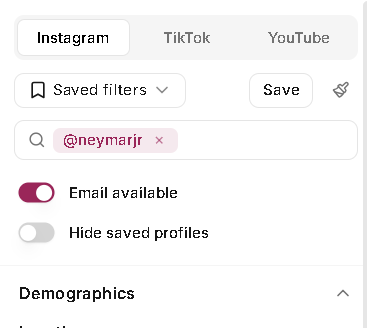
In the left sidebar, use the creator search field above the main filters and search for the handle you want to use. Once you select that creator, Discovery switches into lookalike mode and pins the selected profile at the top of the results so you always know what the search is based on.
Choose content or audience matching
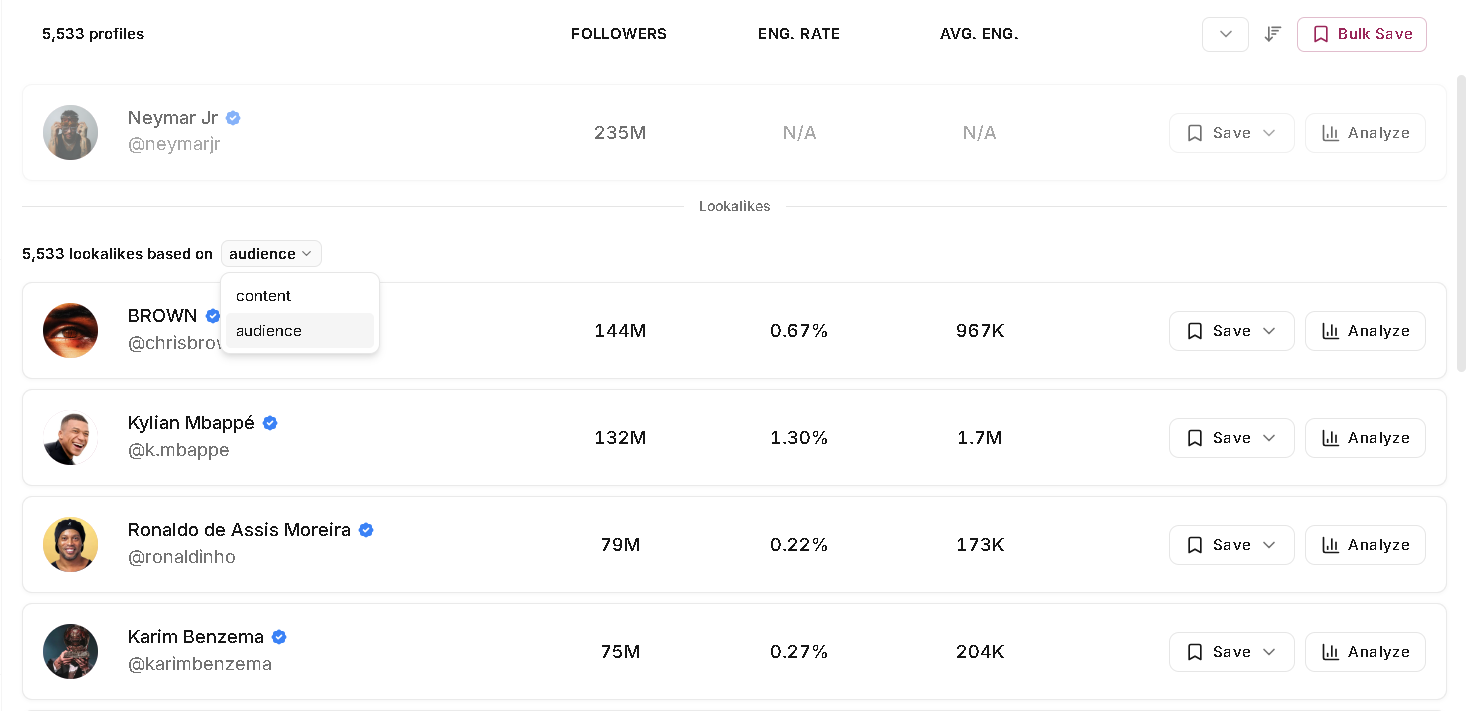
After you pick a creator, the results page shows a lookalike count above the shortlist. On Instagram and YouTube, you can switch the match type between content and audience. Content matching is the better choice when you want creators who post in a similar style, topic area, or format. Audience matching is better when the main question is who the creator reaches, not what their feed looks like.
TikTok is the exception. In Leewou, TikTok lookalike search uses audience similarity. If your brief is basically "same buyer, different face," that is usually the right mode anyway.
If the creator's content feels right but the audience is slightly off, start with content lookalikes and tighten the audience filters after. If the audience fit is already perfect, start with audience lookalikes and work from there.
Use filters to clean up the shortlist
Lookalike search gives you a smart first pass. It is not the final answer. The next step is cleaning up the shortlist so it matches the campaign you are actually running. This is where the rest of Discovery does the heavy lifting.
- Use audience location, age brackets, gender, and language if your campaign has a clear buyer profile
- Use the Fake followers filter on Instagram if audience quality is a concern
- Add follower range, engagement rate, views, or other platform-specific performance filters to keep the shortlist realistic
- Turn on Email available if you want creators you can contact right away
- Turn on Hide saved profiles if you do not want old research cluttering the results
Try not to overdo it on the first pass. Two or three hard constraints usually work better than piling on every filter you can see. If the results dry up, relax the least important filter first and keep going.
Open the profile before you save it
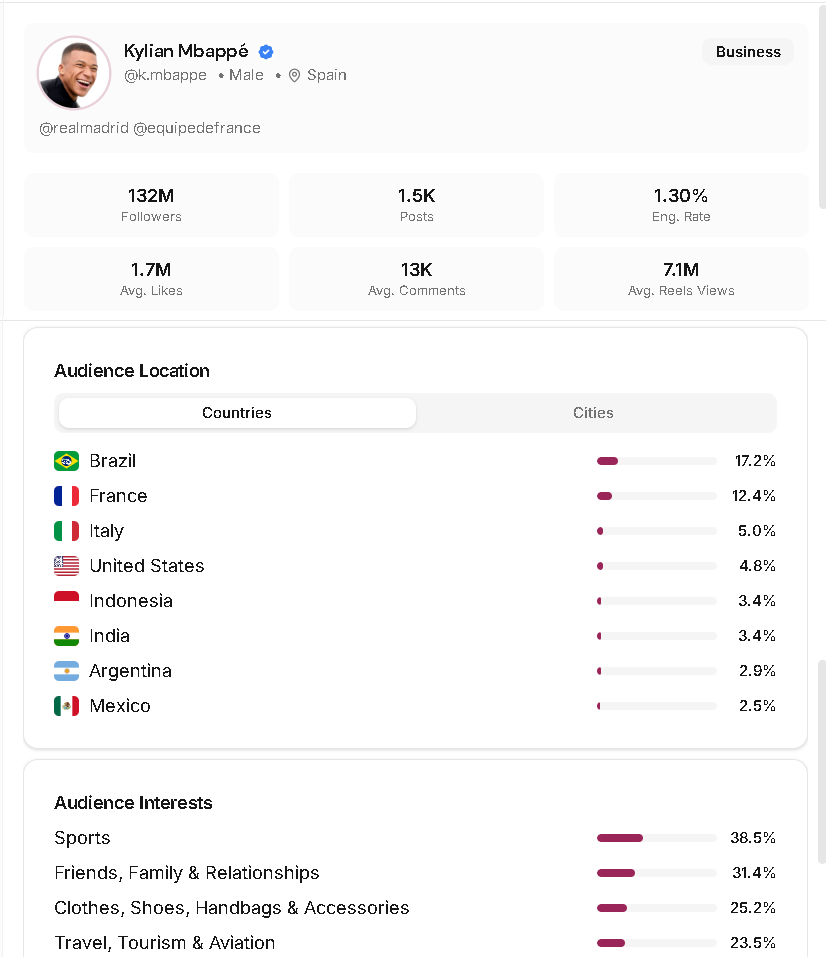
Once a result looks promising, open the profile and analyze it. This is the part that stops a decent shortlist from becoming a sloppy one. The profile view lets you check audience demographics, top locations, interests, brand affinity, growth history, and similar creators when that data is available. Some profiles also surface follower reachability or pricing estimates, which helps when you are deciding who should move into outreach now versus later.
This is also where you catch false positives. A creator can look close enough in the results list and still miss the brief once you see who their audience actually is. Five extra seconds here is cheaper than sending outreach to the wrong people.
Save the winners and save the search
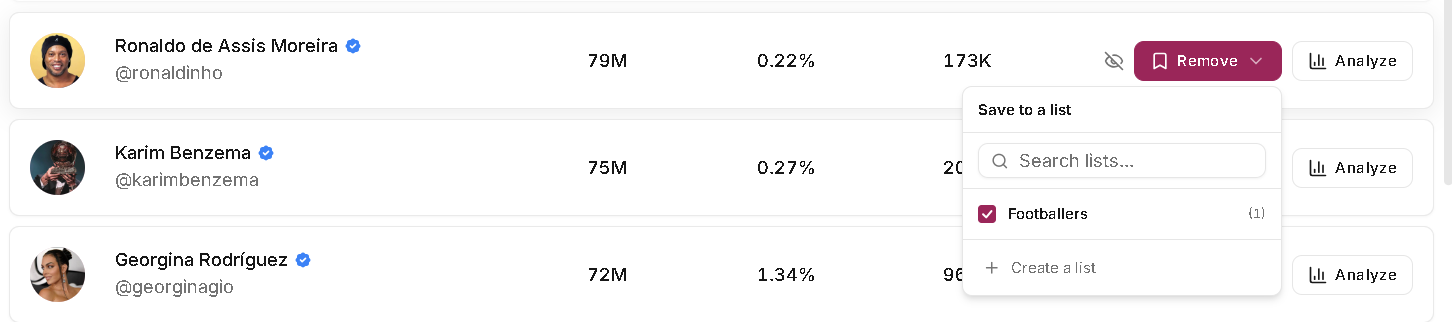
When you find creators worth keeping, save them to a list straight from the results or after you open the profile. If you are working through a large batch, bulk saving is the faster option. A simple setup like "yes" and "maybe" lists can save a surprising amount of time once outreach starts.
If the filter setup itself is useful, save that too. Leewou lets you save the current filter combination, reuse it later, or update an existing saved filter. That matters when you run similar creator discovery workflows every month and do not want to rebuild the logic each time.
Know when lookalikes are the wrong tool
Lookalike search works best when you already know what good looks like. If your team is exploring a new category, testing a vague brief, or still arguing about the target audience, start with audience and topic filters first. Find one strong seed creator. Then use lookalikes to scale from there.
That is the trap with similar creator search. If the first profile is wrong, the rest of the shortlist will be wrong in a very efficient way. The feature is fast, but it still needs a good starting point.
FAQ
Frequently asked questions about lookalike search
These are the questions teams usually ask once they start using lookalike search in a real workflow, not just testing it for five minutes.